
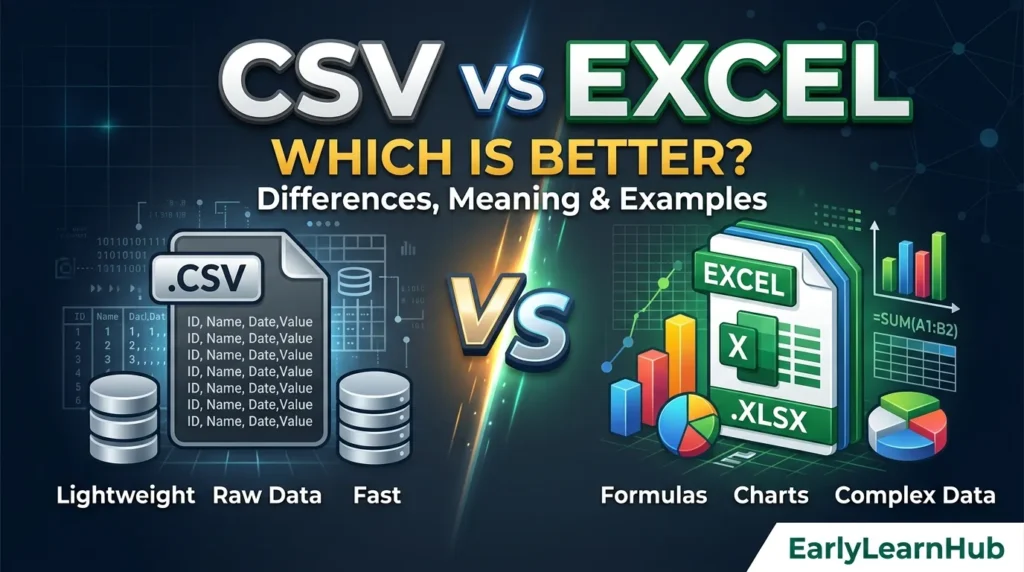
CSV and Excel are both widely used for storing and working with tabular data, but they are not the same type of file. A CSV file is a simple text-based format designed mainly for storing and exchanging structured data, while an Excel workbook can store data along with formulas, formatting, charts, tables, and other spreadsheet features.
If you are unsure whether to use CSV or Excel, the right choice depends on what you need to do with your data. CSV is often better for transferring simple data between different systems, while Excel is better for analyzing, formatting, calculating, and presenting data.
What Is CSV?
CSV stands for Comma-Separated Values. It is a plain-text file format in which data fields are generally separated by commas, with each record stored on a separate line. CSV files commonly use the .csv extension.
For example, a simple CSV file might contain:
Name,Age,Country
John,25,USA
Sara,30,Canada
Ali,28,Pakistan
CSV is commonly used when data needs to be exported from one system and imported into another. Because it stores text and values rather than a complete spreadsheet structure, it is relatively simple and broadly supported.
However, CSV is not completely universal in its implementation. Different programs can interpret delimiters, character encoding, quoting, and line breaks differently. RFC 4180 documents a common CSV format and registers text/csv as its MIME type, but it is an informational specification rather than a mandatory universal standard.
Learn when to use Even Though or Eventhough to express contrast clearly and avoid common spelling mistakes in English.
What Is Excel?

Excel generally refers to Microsoft Excel, a spreadsheet application used to organize, calculate, analyze, and present data. An Excel workbook is typically saved as an .xlsx file, which is Microsoft’s default XML-based Excel workbook format.
An Excel workbook can contain much more than rows and columns of plain values. Depending on the file format, it can include formulas, tables, charts, images, external data connections, and other spreadsheet features.
For example, an Excel worksheet could contain:
| Product | Quantity | Price | Total |
| Notebook | 5 | $4 | $20 |
| Pen | 10 | $2 | $20 |
| Folder | 3 | $5 | $15 |
You could then use an Excel formula to calculate totals automatically.
CSV vs Excel: Which Is Correct?
Both CSV and Excel are correct, but they refer to different things.
CSV is primarily a file format for representing tabular data in plain text.
Excel is primarily a spreadsheet application, although “Excel” is also commonly used to refer to Excel workbook file formats such as .xlsx.
Therefore, it is not technically accurate to treat CSV and Excel as two identical file formats. Excel can open and save CSV files, but a CSV file does not retain all the features of an Excel workbook.
What Is the Difference Between CSV and Excel?
The main difference between CSV and Excel is the amount of information and functionality each format can preserve.
| Feature | CSV | Excel |
| Typical extension | .csv | .xlsx |
| Basic data storage | Yes | Yes |
| Plain-text format | Yes | No |
| Multiple worksheets | No | Yes |
| Formulas | Not preserved as formulas | Yes |
| Cell formatting | No | Yes |
| Charts | No | Yes |
| Images | No | Yes |
| Tables and spreadsheet features | Limited | Yes |
| Easy system-to-system data exchange | Excellent | Good |
| Data analysis | Basic | Advanced |
| Human-friendly editing | Basic | Excellent |
| File size | Often smaller | Often larger |
| Best use | Data transfer | Spreadsheet work |
Microsoft notes that saving an Excel workbook as CSV preserves only the text and values from the active worksheet. Formatting, graphics, objects, and other worksheet contents are lost.
CSV vs Excel for Data Storage
CSV is useful when you only need to store straightforward tabular data.
For example, an ecommerce system might export:
SKU,Product,Price,Stock
A100,Notebook,5.99,120
A101,Pen,1.99,450
A102,Folder,3.50,85
This information can easily be processed by another application, database, script, or import system.
Excel is more appropriate when the data needs to remain part of a working spreadsheet. You can add formulas, formatting, filters, charts, tables, and other spreadsheet functionality.
CSV vs Excel for Formulas
Excel is the clear choice when formulas need to be preserved.
For example, Excel can calculate a total with a formula such as:
=B2*C2
Excel formulas begin with an equal sign and can reference other cells and use built-in functions.
A CSV file does not preserve Excel formulas as working formulas. When an Excel workbook is saved as CSV, Microsoft explains that formulas are converted to their displayed results or otherwise stored as text rather than retaining the workbook’s formula functionality.
CSV vs Excel for Formatting
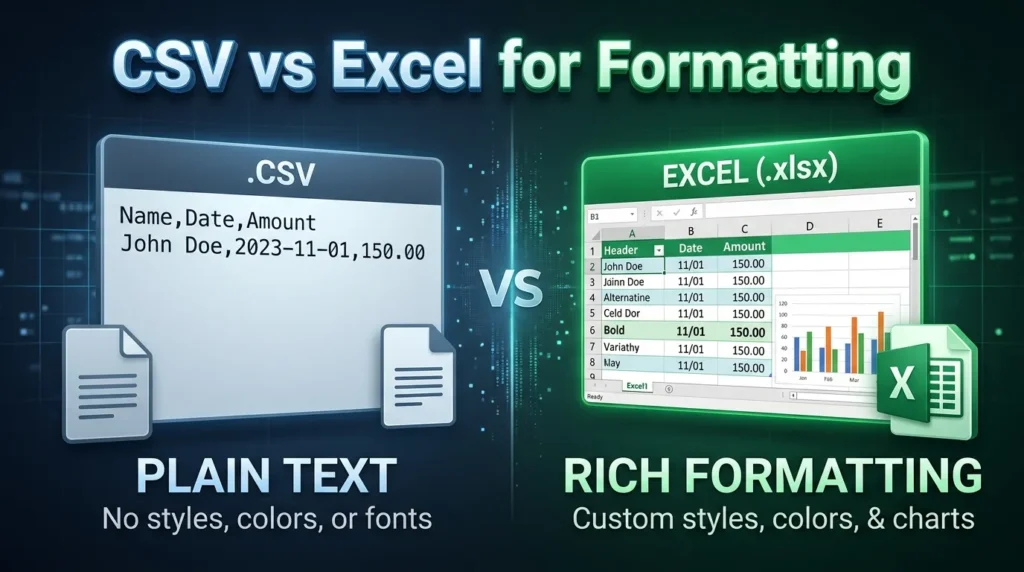
Excel is much better when formatting matters.
You can use Excel to apply:
- Bold and italic text
- Cell colors
- Number formats
- Borders
- Conditional formatting
- Column widths
- Row heights
- Tables
- Charts
- Images
CSV does not preserve these spreadsheet formatting features. When an Excel workbook is saved as a CSV text file, Microsoft states that formatting and graphics are lost.
Learn to distinguish daily atmospheric conditions from long-term patterns by understanding the difference between Weather and Climate in everyday English.
CSV vs Excel for Multiple Sheets
Excel supports multiple worksheets within a workbook.
For example, one Excel workbook might contain:
- Sales
- Customers
- Inventory
- Expenses
- Reports
A CSV file represents a single flat data table. Microsoft specifically notes that saving a workbook as CSV saves only the active sheet.
Therefore, Excel is better for projects that require multiple related worksheets.
CSV vs Excel for Data Transfer
CSV is often the better choice for transferring simple tabular data between systems.
For example, you might export customer information from one application as a CSV file and import it into another application.
The simple structure makes CSV useful for data exchange between different software systems. RFC 4180 describes CSV as a format commonly used for exchanging and converting data between spreadsheet programs.
Excel can also be used for data transfer, but it may contain application-specific features that another system cannot interpret.
CSV vs Excel: Which Is Easier to Edit?
For everyday users, Excel is generally easier to edit and analyze because it provides a graphical spreadsheet interface.
You can sort data, filter columns, change formatting, create formulas, and analyze information directly in the workbook.
CSV files can also be opened in Excel, but the underlying CSV itself is still a plain-text representation of the data.
For example, this CSV:
Name,Score
John,85
Sara,92
Ali,78
can be opened in Excel and displayed as a spreadsheet. However, saving it back as CSV does not preserve Excel-specific formatting and features.
CSV vs Excel: Which Is Better for Large Data?
There is no universal winner based only on the amount of data.
CSV can be convenient for transferring large, straightforward datasets because its structure is relatively simple and it does not contain extensive spreadsheet metadata.
Excel is more appropriate when you need to actively analyze the dataset using spreadsheet functionality.
For extremely large datasets, however, neither CSV nor Excel may be the best long-term storage solution. A database or specialized data-processing system may be more appropriate.
CSV vs Excel Examples
Example 1: Importing Product Data
Suppose an online store needs to upload thousands of products to another system.
A CSV file could contain:
SKU,Product,Price,Stock
P001,T-Shirt,15.99,100
P002,Jeans,39.99,75
P003,Shoes,59.99,40
CSV is a good choice because the receiving system can import the structured values.
Example 2: Creating a Sales Report
Suppose you need to calculate monthly revenue, create charts, apply formatting, and compare sales representatives.
Excel is the better choice because formulas, charts, formatting, and workbook features can be preserved.
Example 3: Moving Data Between Applications
Suppose a CRM exports customer records that need to be imported into another application.
CSV is often preferable because it provides a simple tabular representation that can be exchanged between systems.
Example 4: Financial Analysis
Suppose you need to calculate expenses, create totals, compare months, and build a financial dashboard.
Excel is usually the better choice because formulas, charts, tables, and other spreadsheet features can be retained.
When Should You Use CSV?
Use CSV when:
- You need simple tabular data.
- You are importing or exporting data.
- You need compatibility between different systems.
- You do not need formatting.
- You do not need multiple worksheets.
- You want a plain-text data file.
- Another application specifically requires a CSV file.
CSV is particularly useful when the main goal is data exchange rather than spreadsheet presentation.
When Should You Use Excel?
Use Excel when:
- You need formulas.
- You need charts.
- You need formatting.
- You need multiple worksheets.
- You need tables and filters.
- You need to analyze data interactively.
- You need to create reports.
- You need to preserve spreadsheet functionality.
The .xlsx format is designed to preserve workbook content and features that are not retained when the data is converted into a simple text format such as CSV.
Can You Convert CSV to Excel?
Yes. You can open a CSV file in Excel and save it as an Excel workbook.
For example, you can open:
products.csv
and save it as:
products.xlsx
After conversion, you can add formulas, formatting, tables, charts, and other Excel features.
However, converting a CSV to Excel does not recreate information that was never present in the CSV. For example, if the original CSV did not contain formatting or formulas, those features cannot be recovered simply by opening the file in Excel.
Can You Convert Excel to CSV?
Yes. Excel can save a workbook as CSV.
However, this conversion has important limitations. Microsoft states that CSV saves only the text and values from the active worksheet and does not preserve formatting, graphics, objects, or other worksheet contents.
Therefore, you should keep the original .xlsx file if you may need the workbook’s formulas, formatting, charts, or additional worksheets later.
CSV or Excel: Which Should You Choose?
Choose CSV when your primary goal is to store or transfer simple data.
Choose Excel when your primary goal is to work with, analyze, calculate, format, or present data.
A simple way to remember the difference is:
CSV is mainly for data exchange. Excel is mainly for spreadsheet work.
Neither format is universally better. The best choice depends on what you need the file to do.
Learn how people use BTW meaning in text messages to communicate casually and understand everyday online conversations.
Summary
CSV and Excel are both useful for working with tabular data, but they serve different purposes. CSV is a simple, plain-text data format commonly used for importing, exporting, and exchanging structured data. Excel is a spreadsheet environment and workbook format that supports formulas, formatting, charts, multiple worksheets, and other advanced features.
If you need simple data transfer, choose CSV. If you need calculations, analysis, formatting, reporting, or multiple worksheets, choose Excel.
Is CSV the same as Excel?
No. CSV is a plain-text data format, while Excel is a spreadsheet application and also refers to Excel workbook formats such as .xlsx. Excel can open CSV files, but CSV does not preserve all Excel features.
Is CSV better than Excel?
Not always. CSV is better for simple data exchange and compatibility between systems, while Excel is better for calculations, analysis, formatting, charts, and spreadsheet-based reporting.
Is Excel better than CSV?
Excel is better when you need spreadsheet features such as formulas, charts, formatting, tables, or multiple worksheets. CSV is often better when you only need to transfer simple tabular data.
Can Excel open CSV files?
Yes. Microsoft Excel supports CSV files and can open them as tabular data.
Can CSV store formulas?
A CSV file does not preserve Excel formulas as working spreadsheet formulas. When an Excel workbook is saved as CSV, formula-related functionality and other workbook features are not retained.
Does CSV support multiple sheets?
No. A CSV file represents a single flat table. When Excel saves a workbook as CSV, only the active worksheet is saved.
Which is better for data transfer, CSV or Excel?
CSV is often the better option for straightforward data transfer because it provides a simple tabular representation that many different applications can import and export.
Which file should I use for a report, CSV or Excel?
Use Excel if the report needs formulas, formatting, charts, tables, filters, or multiple worksheets. Use CSV if the report only needs to contain simple raw data.
What is the difference between CSV and XLSX?
CSV is a comma-separated text format, while XLSX is Microsoft’s XML-based Excel workbook format. XLSX can preserve workbook features such as formulas, charts, formatting, and other spreadsheet content that CSV cannot preserve.

Grace Holloway is a Creative Learning Designer with more than 9 years of experience producing visually engaging educational resources for preschool and kindergarten children. She specializes in combining educational principles with creative design to develop worksheets that encourage learning through play, exploration, and creativity.